Vinco®
Client
VINCO®, cardboard displays
Year
2026
Technologies
Three.js, JavaScript, Lenis
(About the project)
VINCO® designs and produces cardboard displays for the point of sale. The website explains the manufacturing process through 3D scenes, presents the five display types and brings together six studies, each with its own technical sheet.
- Art direction
- Web design
- Interactive 3D
- Front-end development
(01) Hero
Exploded view
The website opens with the 3D display in front of the brand. On hover, the panels, the lit shelves and the joints move apart, and they return to place when the cursor leaves.
(02) Process
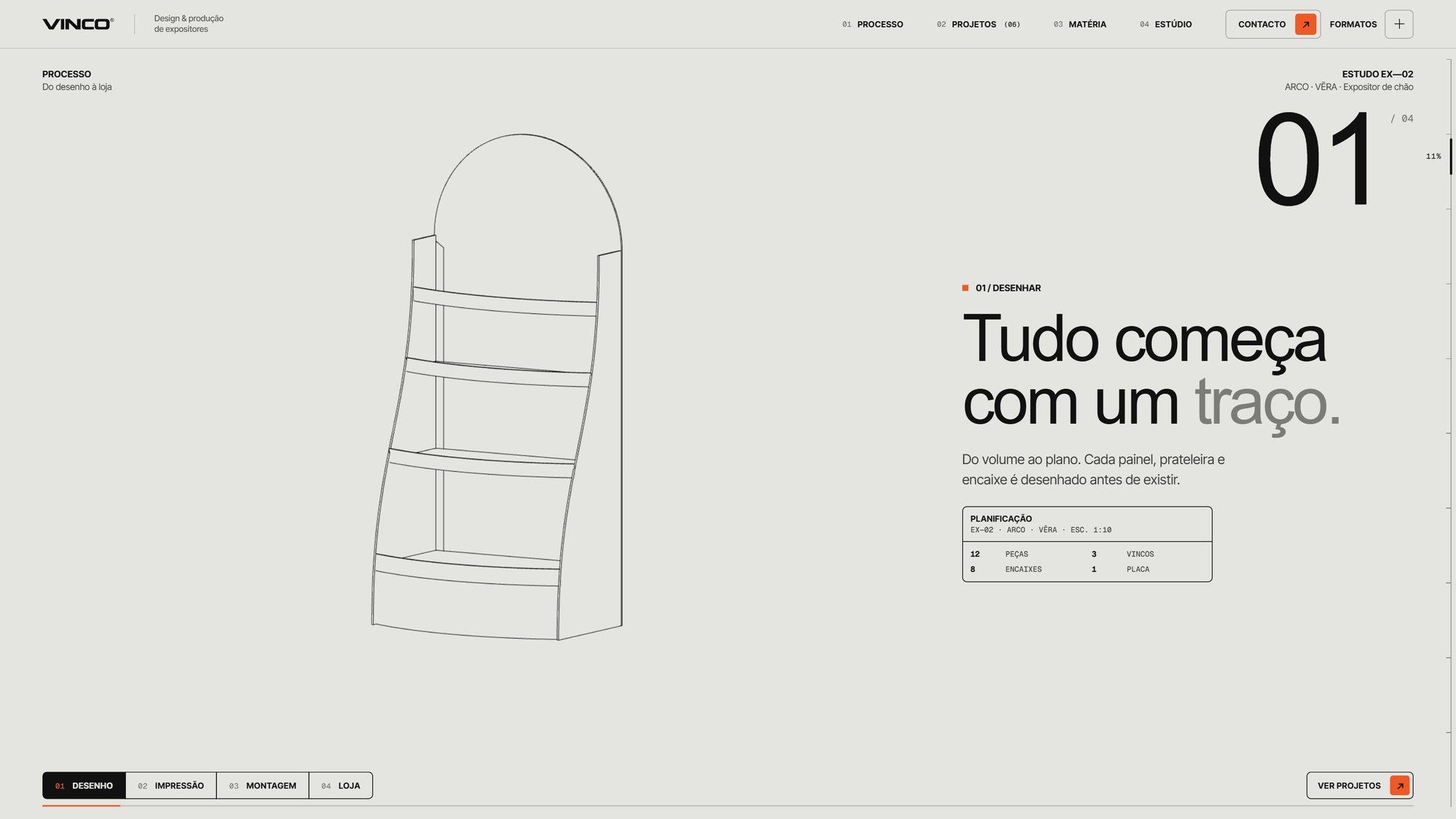
Four chapters in 3D
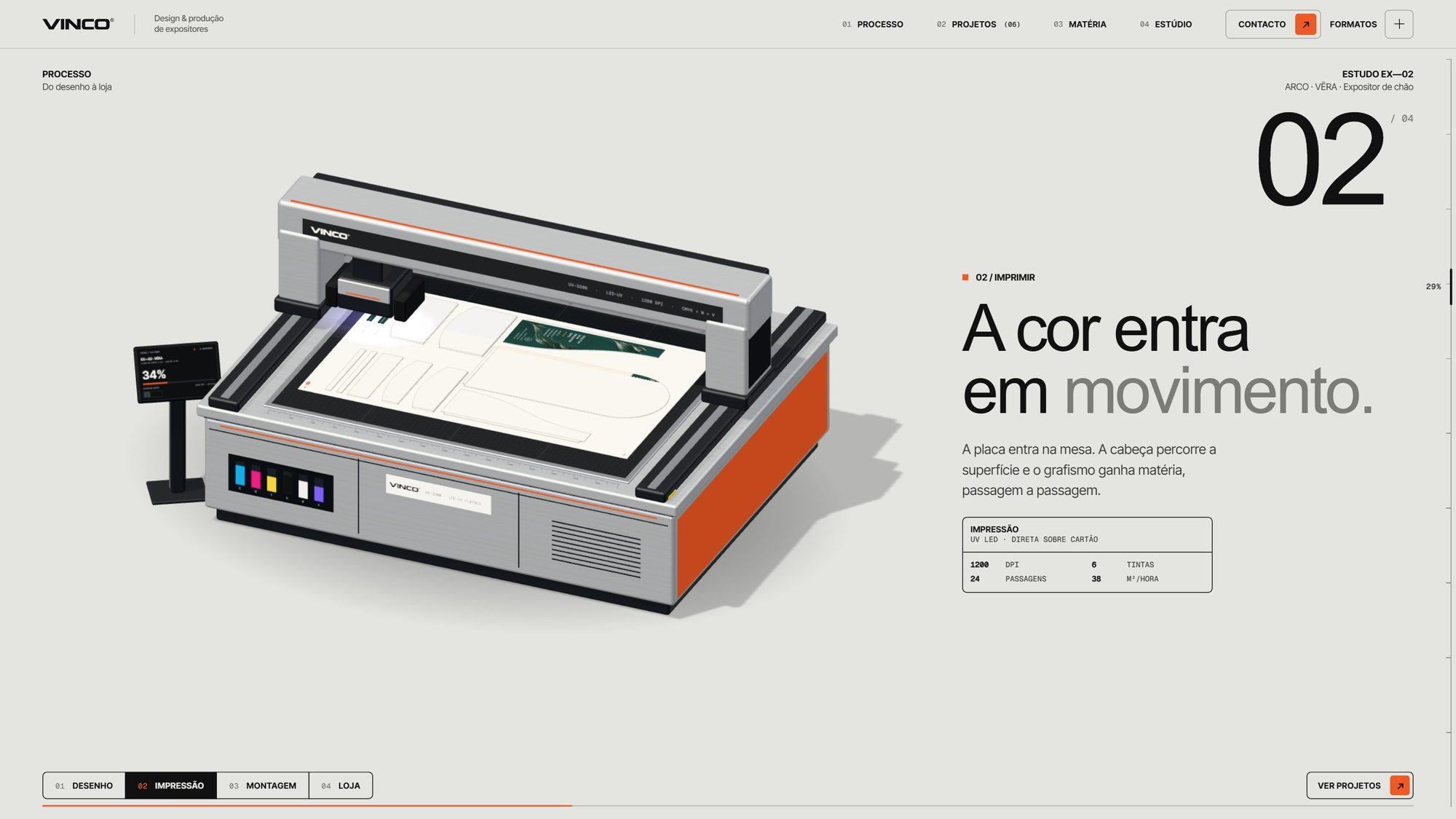
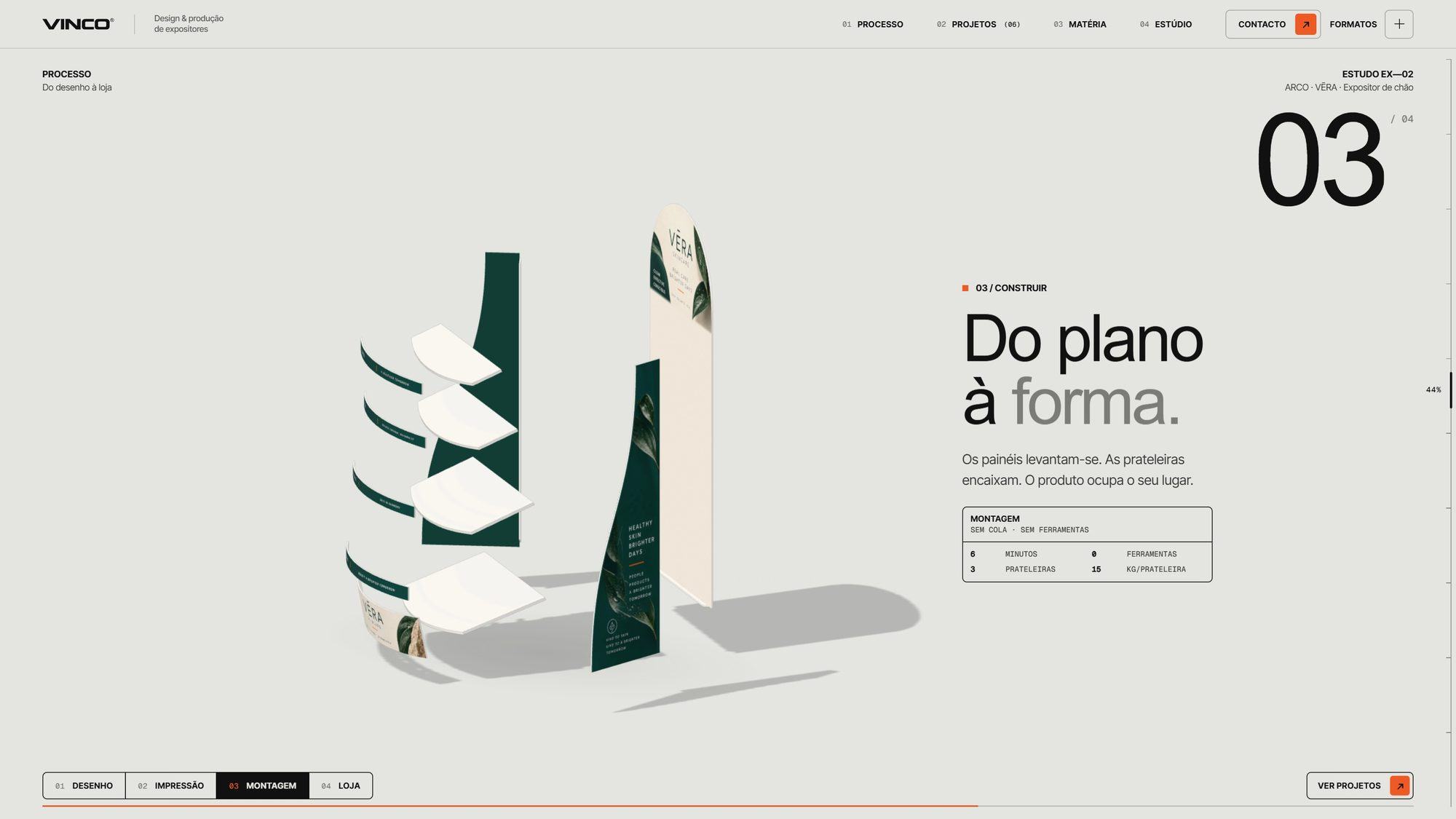
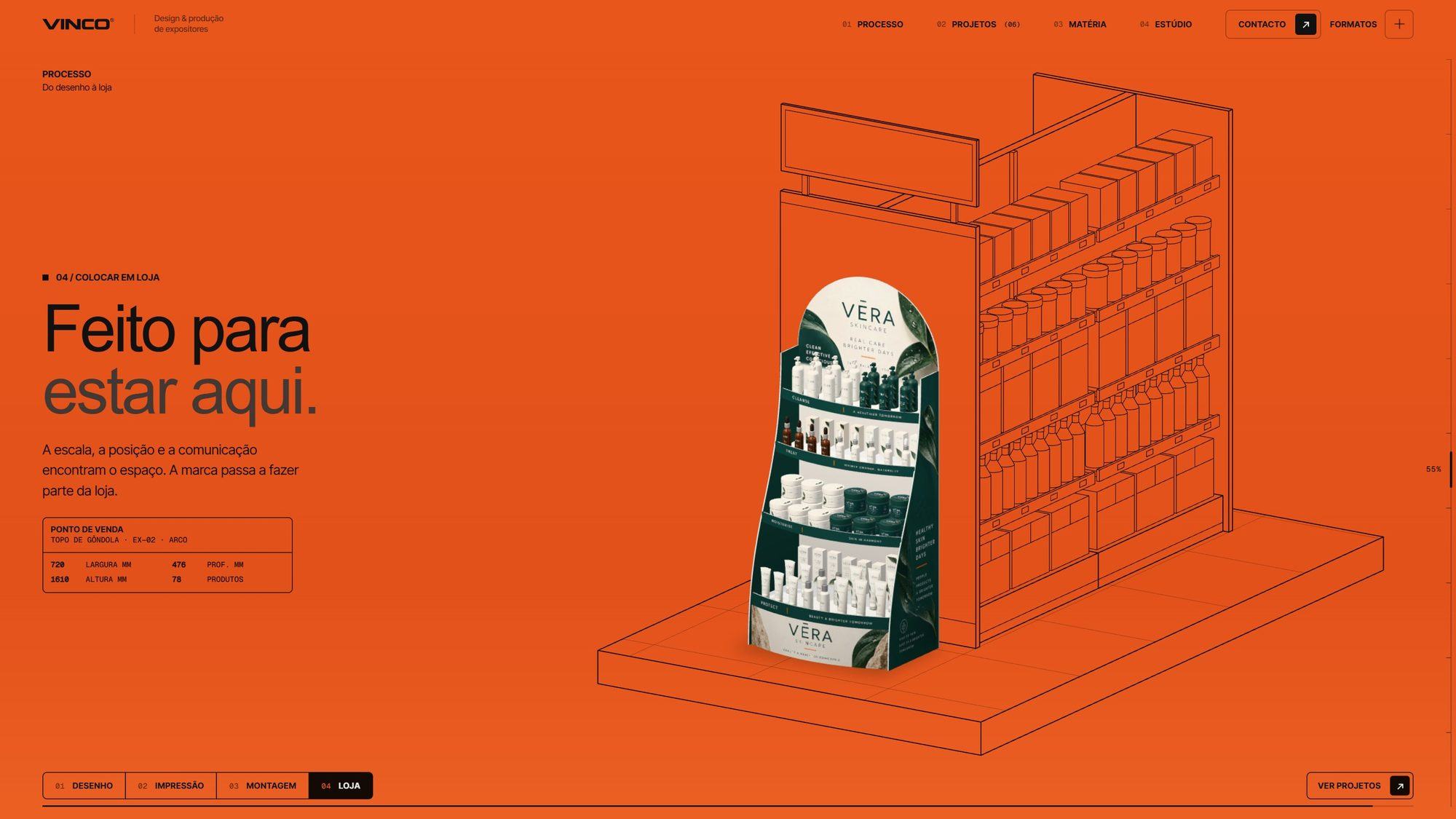
A 3D scene moves forward as you scroll. Each chapter has a number, a short text and a technical table, and the tabs at the bottom of the screen let you jump between them.
- 01Drawing: the display appears as a flat line drawing
- 02Printing: the board passes through a UV printing table
- 03Assembly: the pieces slot together one by one
- 04Shop: the display ends up on a shop shelf
(03) Display types and studies
Display types and technical sheets
Each display type first appears as a technical drawing and only then receives its print. The six studies can be filtered by type and open a sheet with dimensions, material, print, assembly, minimum run and lead time.
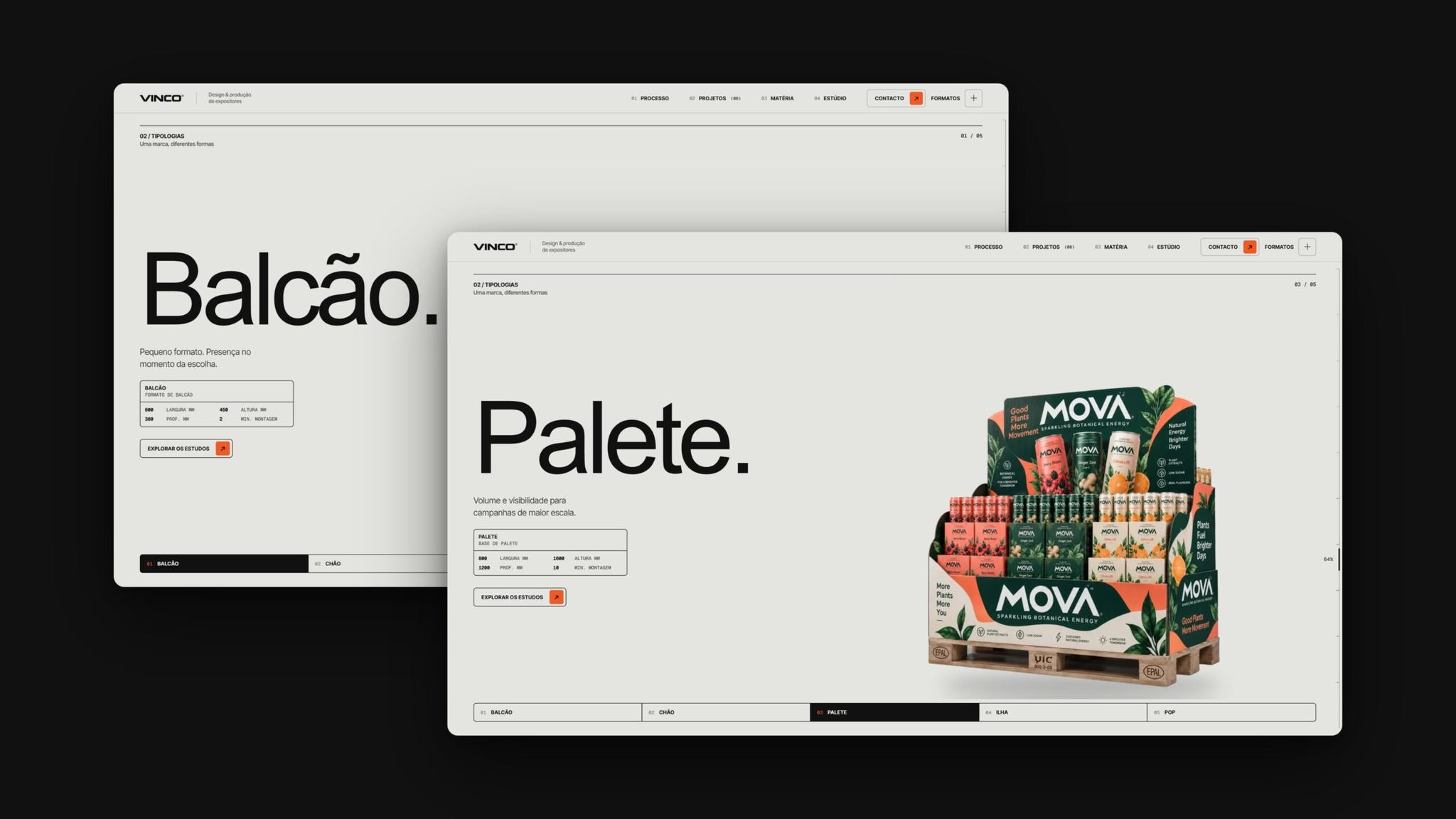
Display typesCounter, floor, pallet, island and POP.
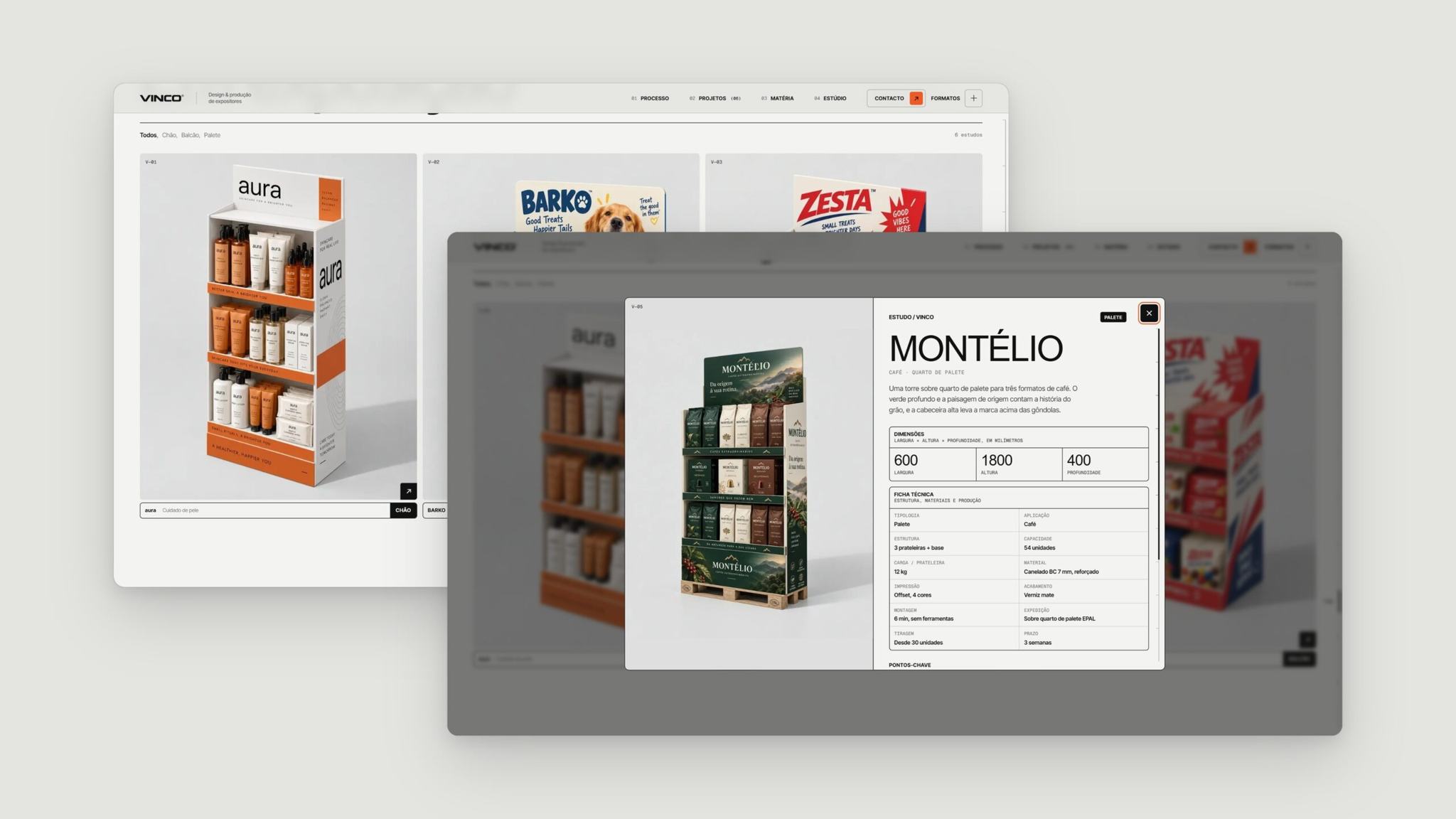
Montélio study sheet600 × 1800 × 400 mm, 7 mm BC flute board.
(04) Components
Interface components
The same set of parts builds the process, the sheets, the study filters and the contact form.
Numbered tabsMove between the process chapters and the display types.
Labels and tablesDimensions, materials and lead times in the same format on every sheet.
Arrow buttonsOpen the studies, the formats and the contact form.
(05) Material
Material sample
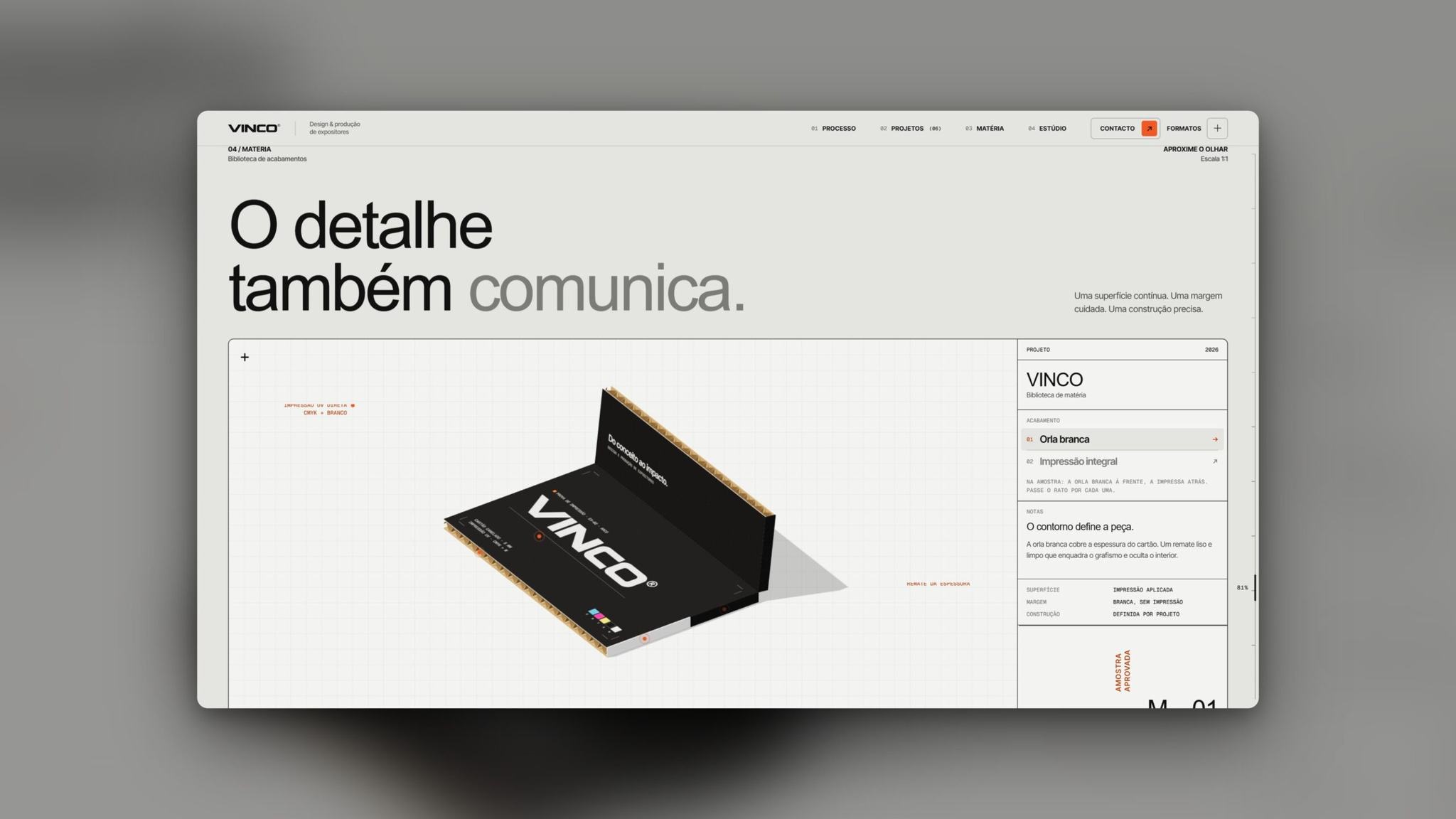
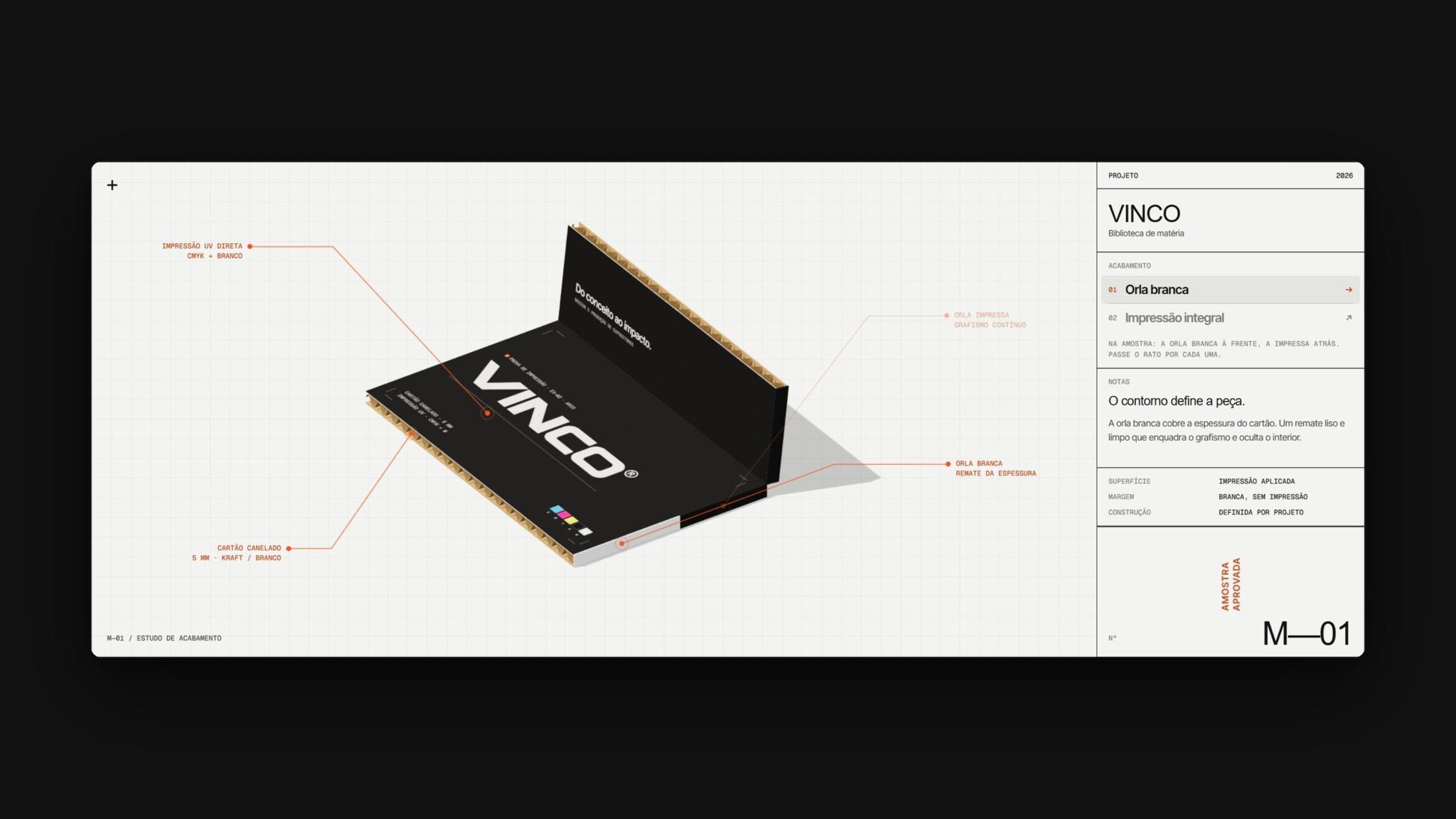
3D sampleA piece of cardboard with dimensions and notes, like a technical drawing.
Two finishesA white edge, which covers the thickness of the board, and full print.
Dynamic sheetChanges with the part of the sample under the cursor.
(06) Mobile
Mobile version
On the phone, the process and display type tabs sit at the bottom of the screen, and the menu brings together the sections, the starting shapes and the list of studies.
(07) Studio, contact and formats
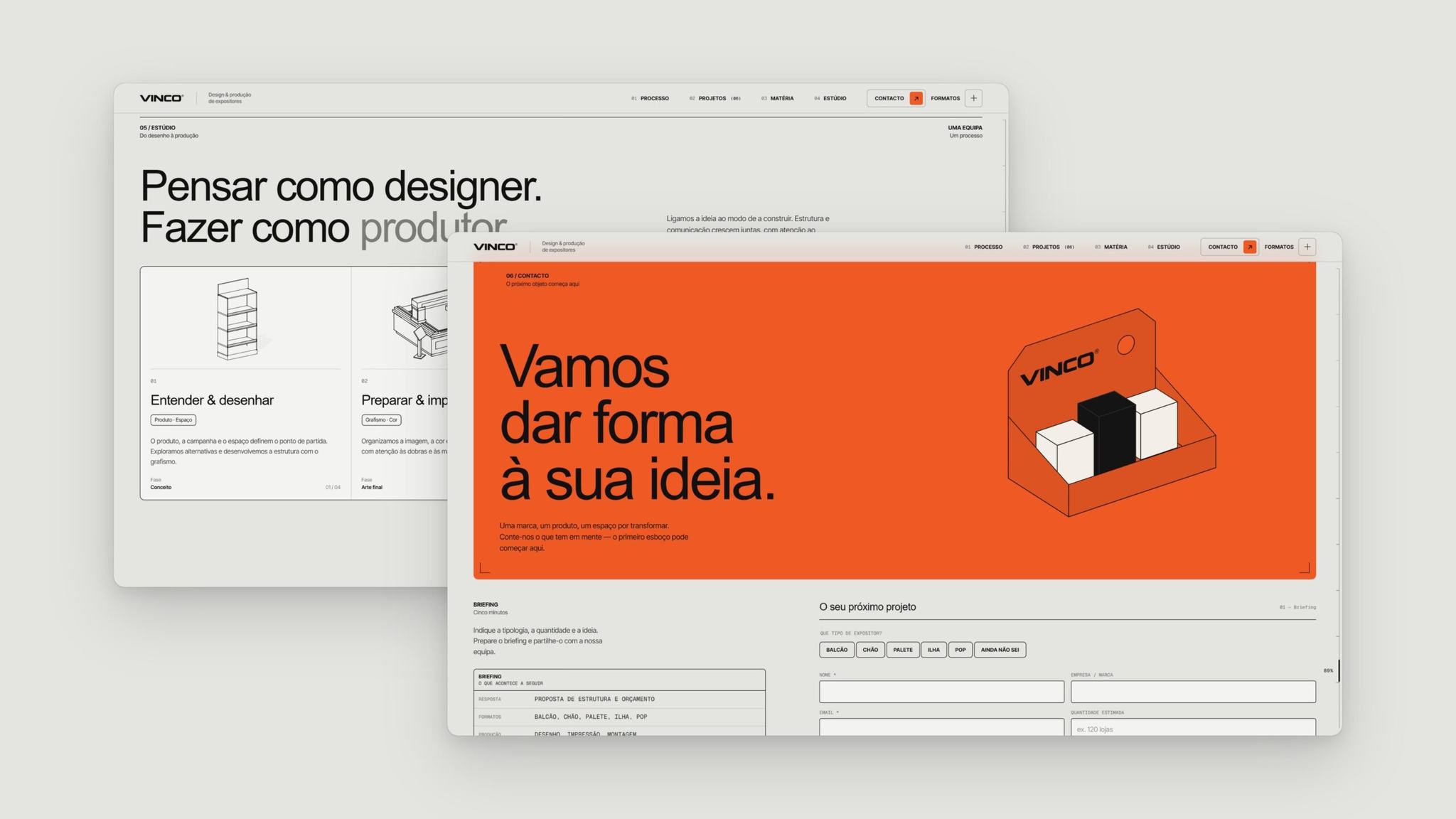
Studio and contactFour work stages and a form that starts with the display type.
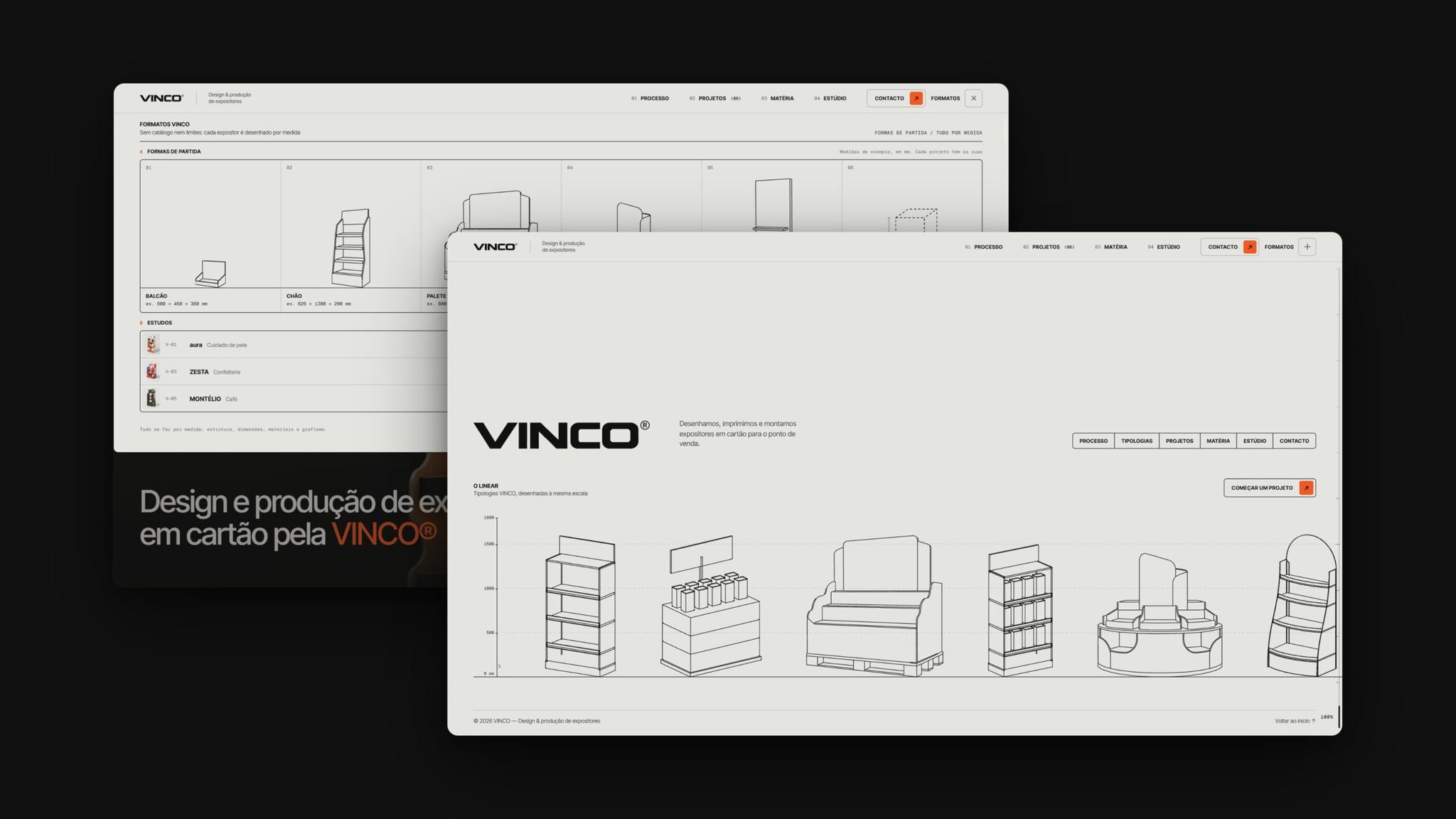
Formats and footerStarting shapes at the same scale and a line-up of displays.
(08) Full walkthrough
From hero to footer, sped up